

Detects spyware and other threats that could harm your computer or even your personal details. After detecting the viruses like trojans it also removes them. As well it identifies rootkits, usually hard to detect for they use hidden files or folders to avoid scans.
Even though most of us have antivirus systems installed on our PCs, there are some kinds of sophisticated threats those antiviruses are simply incapable of removing. For this reason, it's always a good idea to complement them with an anti-malware tool such as SpyHunter which detects and removes rootkits, trojans, keyloggers, and other threats.
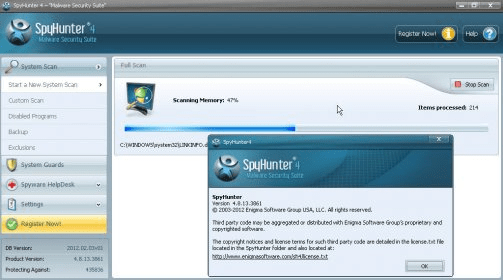
Its friendly and intuitive user interface starts an automatic system scan every time you run the program, however, this process may take a really long time (almost 1 hour on my testing box). Once you receive the scan report you can get rid of all the detected threats -or just those you select- by simply clicking on a button. Anyway, you also have a "Custom Scan" section that allows you to select the areas to be analyzed among Memory, Registry, Cookies, Files, and Rootkits. The program offers you some protection methods that are rarely found on other anti-malware tools, like the so-called "DNS Settings" and "System Guards". Also, the program automatically creates and manages disabled programs, exclusions, and backups lists. more





Comments (5)
Removes a lot of unwanted programs.
I like spy Hunter 4.